RTL/LTR Concepts
Numbers in RTL Languages: A Developer's Guide
Understanding how numbers work in Arabic, Hebrew, and other right-to-left languages.
7 min read0
KA
Karim Benali
Senior frontend developer with 10+ years building RTL-first applications.
Introduction
One of the most confusing aspects of RTL languages for developers is number handling. Do numbers flip too? Which numeral system should you use? How do phone numbers, dates, and currencies work?
This guide answers these questions with practical examples and code snippets.
The Quick Answer
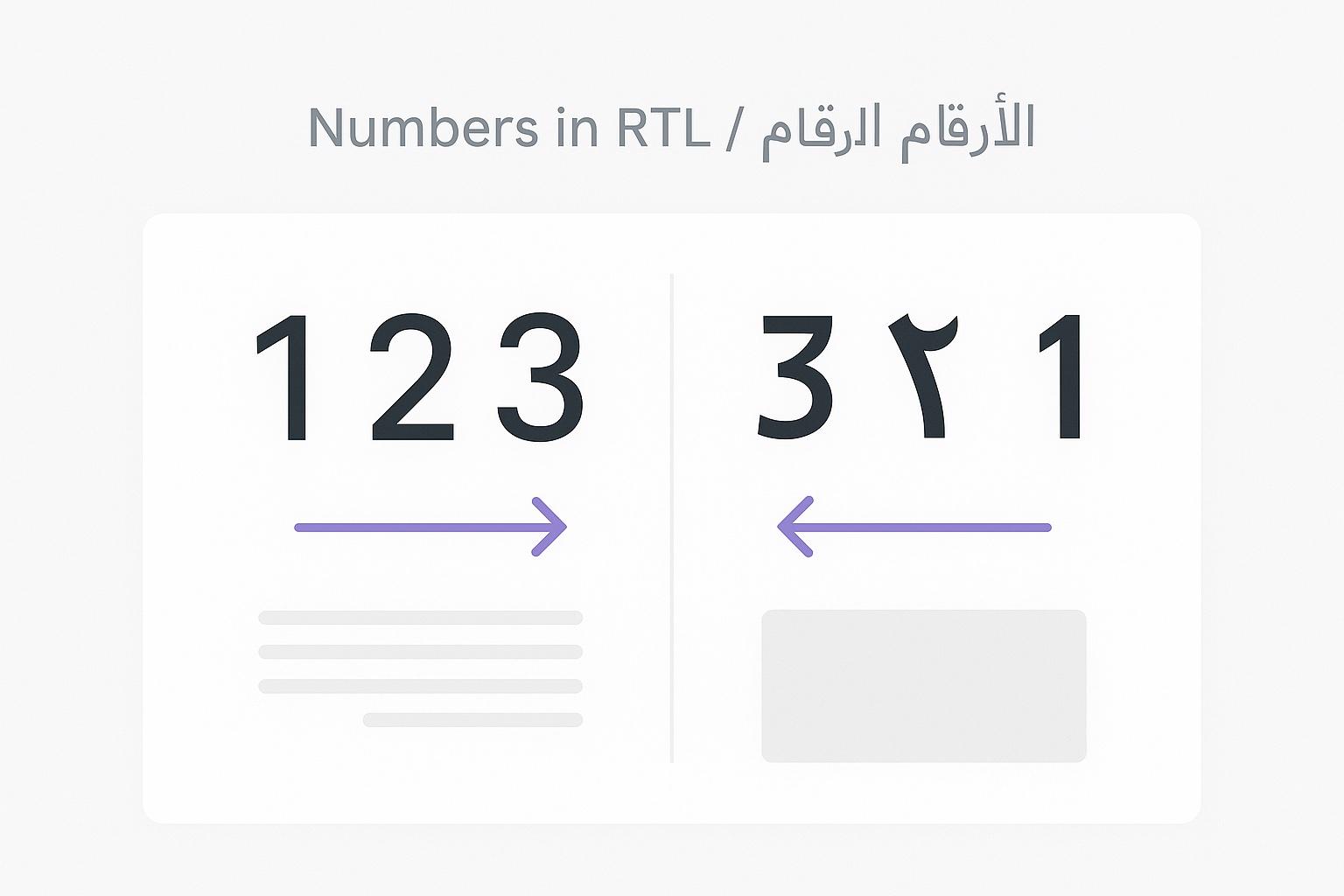
Numbers read left-to-right, even in RTL text.
Whether you write 123 in English or ١٢٣ in Arabic, the digits are read in the same order: one-two-three, not three-two-one.
This surprises many developers who assume everything reverses in RTL. The logic makes sense: mathematical notation is universal, and changing digit order would change numeric values.
Numeral Systems
Western Arabic Numerals (0-9)
The numerals most of the world uses:
0 1 2 3 4 5 6 7 8 9Despite being called "Arabic numerals" in the West (because Europe learned them from Arab mathematicians), these are actually derived from Indian numerals via the Islamic world.
Eastern Arabic Numerals (٠-٩)
Used in Arabic-speaking countries in the Middle East:
٠ ١ ٢ ٣ ٤ ٥ ٦ ٧ ٨ ٩
0 1 2 3 4 5 6 7 8 9| Western | Eastern | Arabic Name |
|---|---|---|
| 0 | ٠ | صفر (sifr) |
| 1 | ١ | واحد (wahid) |
| 2 | ٢ | اثنان (ithnan) |
| 3 | ٣ | ثلاثة (thalatha) |
| 4 | ٤ | أربعة (arba'a) |
| 5 | ٥ | خمسة (khamsa) |
| 6 | ٦ | ستة (sitta) |
| 7 | ٧ | سبعة (sab'a) |
| 8 | ٨ | ثمانية (thamaniya) |
| 9 | ٩ | تسعة (tis'a) |
Persian Numerals (۰-۹)
Slight variations used in Iran, Afghanistan, and Pakistan:
۰ ۱ ۲ ۳ ۴ ۵ ۶ ۷ ۸ ۹Note that ۴ (4) and ۶ (6) look different from their Arabic counterparts ٤ and ٦.
Which to Use?
Regional preferences vary:
| Region | Common Practice |
|---|---|
| Egypt, Middle East | Eastern Arabic (٠-٩) |
| Morocco, Tunisia, Libya | Western Arabic (0-9) |
| Iran, Afghanistan | Persian (۰-۹) |
| Israel | Western Arabic (0-9) |
| Pakistan | Mix of Persian and Western |
Modern digital interfaces often use Western numerals globally, but localizing to the appropriate system improves user experience.
Formatting Numbers in JavaScript
Using Intl.NumberFormat
JavaScript's Internationalization API handles number formatting:
// Basic number formatting
const num = 1234567.89;

// Arabic with Eastern numerals
new Intl.NumberFormat('ar-EG').format(num)
// Result: "١٬٢٣٤٬٥٦٧٫٨٩"

// Arabic with Western numerals (Morocco)
new Intl.NumberFormat('ar-MA').format(num)
// Result: "1.234.567,89"

// Persian
new Intl.NumberFormat('fa-IR').format(num)
// Result: "۱٬۲۳۴٬۵۶۷٫۸۹"

// Hebrew
new Intl.NumberFormat('he-IL').format(num)
// Result: "1,234,567.89"
Currency Formatting
const amount = 1234.56;
// Arabic (Egypt) - Egyptian Pound
new Intl.NumberFormat('ar-EG', {
style: 'currency',
currency: 'EGP'
}).format(amount)
// Result: "١٬٢٣٤٫٥٦ ج.م."
// Arabic (Saudi) - Saudi Riyal
new Intl.NumberFormat('ar-SA', {
style: 'currency',
currency: 'SAR'
}).format(amount)
// Result: "١٬٢٣٤٫٥٦ ر.س."
// Hebrew - Israeli Shekel
new Intl.NumberFormat('he-IL', {
style: 'currency',
currency: 'ILS'
}).format(amount)
// Result: "1,234.56 ₪"Percentage Formatting
const percent = 0.42;

new Intl.NumberFormat('ar-EG', {
  style: 'percent'
}).format(percent)
// Result: "٤٢٪"

new Intl.NumberFormat('fa-IR', {
  style: 'percent'
}).format(percent)
// Result: "۴۲٪"
Phone Numbers
Phone numbers present a unique challenge: they should always display in a consistent, recognizable format regardless of language direction.
Best Practice: Always LTR
<p dir="rtl">
  رقم الهاتف: <span dir="ltr">+1 (555) 123-4567</span>
</p>
.phone-number {
direction: ltr;
unicode-bidi: embed;
}Why LTR for Phone Numbers?
- International format recognition
- Consistency when copying/dialing
- Country codes always at the start
- User expectation (even RTL users expect this)
Dates and Times
Date Formatting
Use the Internationalization API:
const date = new Date('2025-01-15');
// Arabic (Egypt)
new Intl.DateTimeFormat('ar-EG').format(date)
// Result: "١٥/١/٢٠٢٥"
// Arabic (Saudi) - Different calendar
new Intl.DateTimeFormat('ar-SA').format(date)
// Result: "١٥/٧/١٤٤٦ هـ" (Hijri calendar)
// Persian (Iran) - Solar Hijri calendar
new Intl.DateTimeFormat('fa-IR').format(date)
// Result: "۱۴۰۳/۱۰/۲۶"
// Hebrew
new Intl.DateTimeFormat('he-IL').format(date)
// Result: "15.1.2025"Time Formatting
const time = new Date('2025-01-15T14:30:00');

// Arabic - 12-hour format
new Intl.DateTimeFormat('ar-EG', {
  hour: 'numeric',
  minute: 'numeric',
  hour12: true
}).format(time)
// Result: "٢:٣٠ م"

// Arabic - 24-hour format
new Intl.DateTimeFormat('ar-EG', {
  hour: 'numeric',
  minute: 'numeric',
  hour12: false
}).format(time)
// Result: "١٤:٣٠"
Bidirectional Date Ranges
Date ranges need careful handling:
<!-- Problem: hyphen position may shift -->
<p dir="rtl">١٥ يناير - ٢٠ يناير</p>

<!-- Solution: use en-dash or isolate -->
<p dir="rtl">١٥ يناير – ٢٠ يناير</p>
<!-- Or -->
<p dir="rtl"><bdi>١٥ يناير - ٢٠ يناير</bdi></p>
Numeric Ranges
Ranges like "10-20" or "pages 5-10" can break in RTL:
<!-- The hyphen may move incorrectly -->
<p dir="rtl">صفحات 5-10</p>

<!-- Solution 1: LTR isolation -->
<p dir="rtl">صفحات <span dir="ltr">5-10</span></p>

<!-- Solution 2: Use proper en-dash -->
<p dir="rtl">صفحات 5–10</p>

<!-- Solution 3: Arabic text for ranges -->
<p dir="rtl">صفحات ٥ إلى ١٠</p>
Mathematical Expressions
Math notation is universally LTR:
<p dir="rtl">
  الحل: <span dir="ltr" class="math">2x + 5 = 15</span>
</p>
For complex math, use MathML or a library like KaTeX/MathJax, which handle direction automatically.
Input Fields
Numeric Input
<!-- Force LTR for number inputs -->
<input
  type="number"
  dir="ltr"
  class="number-input"
  inputmode="numeric"
/>
.number-input {
text-align: right; /* Align to end in RTL context */
direction: ltr; /* But keep numbers LTR */
}Automatic Direction Detection
For text inputs that might contain numbers:
<input type="text" dir="auto" />The dir="auto" attribute uses the first strong directional character to determine direction.
Common Mistakes
1. Reversing Digit Order
// WRONG: Don't reverse digits for RTL
const wrongRTL = '123'.split('').reverse().join('');
// Result: "321" - This changes the value!

// RIGHT: Let the browser handle display
// Just use the number as-is
const correct = '123';
2. Hardcoding Numeral Systems
// WRONG: Assuming one numeral system
function formatPrice(price) {
  return `$${price}`;
}

// RIGHT: Use localization
function formatPrice(price, locale) {
  return new Intl.NumberFormat(locale, {
    style: 'currency',
    currency: 'USD'
  }).format(price);
}
3. Ignoring Decimal Separators
Different locales use different separators:
| Locale | Number |
|---|---|
| en-US | 1,234.56 |
| de-DE | 1.234,56 |
| ar-EG | ١٬٢٣٤٫٥٦ |
| fr-FR | 1 234,56 |
Always use Intl.NumberFormat rather than manual formatting.
Key Takeaways
-
Numbers are LTR: Even in RTL languages, digit order stays the same (123, not 321).
-
Choose the right numerals: Eastern Arabic (٠-٩), Persian (۰-۹), or Western (0-9) based on locale.
-
Use Intl API: JavaScript's
Intl.NumberFormatandIntl.DateTimeFormathandle localization automatically. -
Isolate when needed: Phone numbers, ranges, and math should be explicitly LTR.
-
Test with real locales: Different Arabic-speaking countries have different preferences.