Kitab
HomeBlogAboutDashboard
Kitab

A multilingual blog starter showcasing RTL support and Arabic typography.

Navigation

  • Home
  • Blog
  • About

Resources

  • GitHub
  • Documentation
  • Components

Connect

2025 Kitab. All rights reserved.

Made with noorui-rtl and Next.js

Kitab
HomeBlogAboutDashboard
Kitab

A multilingual blog starter showcasing RTL support and Arabic typography.

Navigation

  • Home
  • Blog
  • About

Resources

  • GitHub
  • Documentation
  • Components

Connect

2025 Kitab. All rights reserved.

Made with noorui-rtl and Next.js

  1. Home
  2. Blog
  3. Understanding RTL: A Complete Guide to Right-to-Left Text
RTL/LTR Concepts

Understanding RTL: A Complete Guide to Right-to-Left Text

Everything developers and designers need to know about right-to-left languages and how to support them properly.

11 min read0
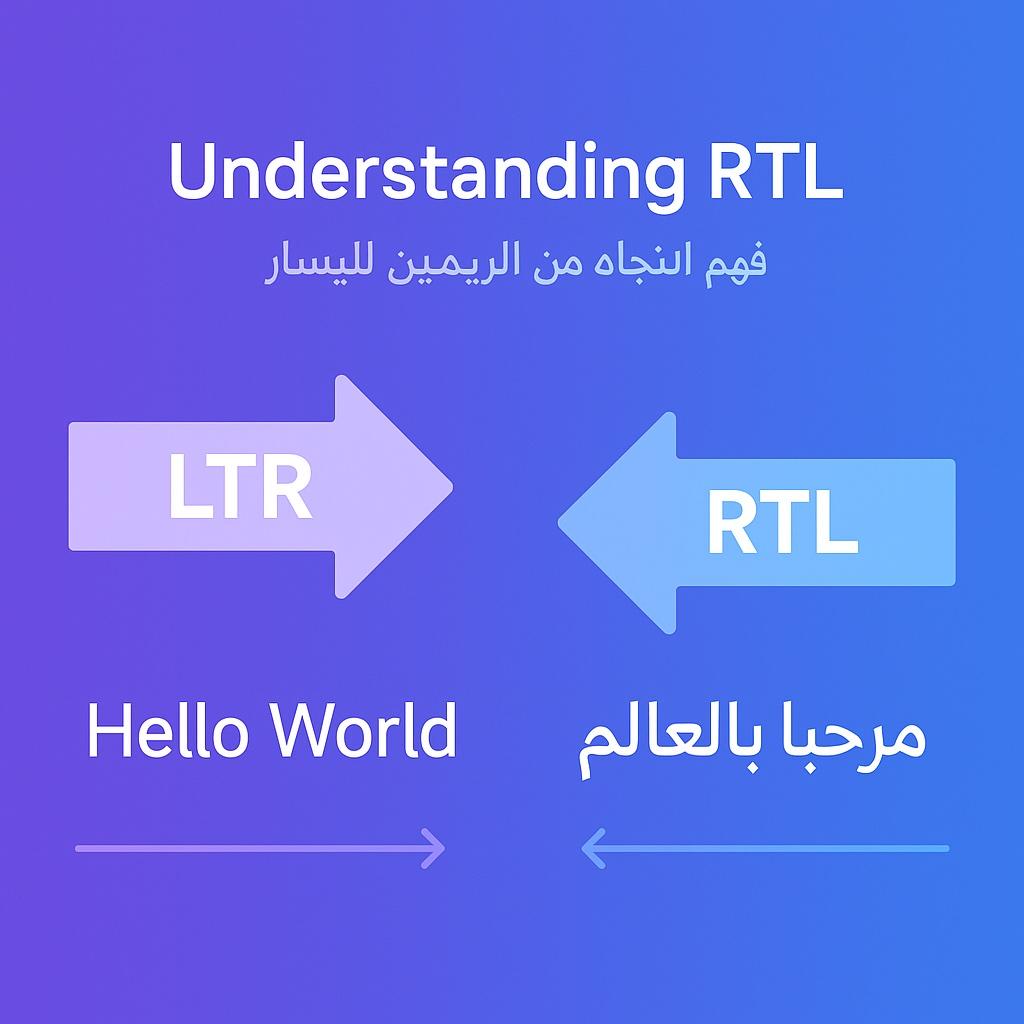
Understanding RTL: A Complete Guide to Right-to-Left Text
KA

Karim Benali

Senior frontend developer with 10+ years building RTL-first applications.

Introduction

Right-to-left (RTL) text support is often treated as an afterthought in web development—a feature to add "someday" when international markets become important. This approach leads to painful retrofitting, broken layouts, and frustrated users.

The reality is that RTL languages are spoken by over 500 million people worldwide. Arabic alone is the 5th most spoken language globally. Persian, Hebrew, Urdu, and Pashto each have millions of speakers who deserve interfaces that work naturally for them.

This guide covers everything you need to know about RTL support: what it means, how it works, and how to implement it properly.

What is RTL?

The Basics

RTL (Right-to-Left) refers to writing systems where text is written and read from right to left. The primary RTL scripts are:

ScriptLanguagesSpeakers
ArabicArabic, Persian, Urdu, Pashto, Kurdish, Uyghur~400+ million
HebrewHebrew, Yiddish~9 million
SyriacSyriac, Aramaic~400,000
ThaanaDhivehi (Maldives)~350,000

What Exactly Flows Right-to-Left?

In RTL scripts, the following flow from right to left:

  • Letters within words
  • Words within sentences
  • Reading order across lines
  • General visual scanning

However, some elements may still be LTR:

  • Embedded Latin text or numbers (sometimes)
  • Mathematical notation
  • Programming code

This mixing is called bidirectional text or "BiDi," and it has its own complex rules.

RTL vs. LTR: Key Differences

Visual Layout

When a page is mirrored for RTL:

LTR Layout:                    RTL Layout:
┌─────────────────────┐        ┌─────────────────────┐
│ Logo    [Nav] [Nav] │        │ [Nav] [Nav]    Logo │
├─────────────────────┤        ├─────────────────────┤
│ Sidebar │  Content  │        │  Content  │ Sidebar │
│         │           │        │           │         │
└─────────────────────┘        └─────────────────────┘

What Should Mirror

Elements that typically mirror in RTL:

  • Navigation order
  • Sidebar positions
  • Icons indicating direction (arrows, carets)
  • Progress indicators
  • Swipe directions
  • Text alignment (left-aligned becomes right-aligned)
  • Margin and padding (left becomes right)

What Should NOT Mirror

Some elements should remain unchanged:

  • Icons: Play buttons, checkmarks, most non-directional icons
  • Images: Photos, illustrations (unless culturally inappropriate)
  • Phone numbers: Always display in standard order
  • Video controls: Play/pause remain standard
  • Maps: Geographic orientation stays the same
  • Graphs: X-axis direction often stays LTR

Bidirectional Considerations

Numbers in Arabic text present an interesting case:

  • Arabic-script numbers can be Eastern (٠١٢٣٤٥٦٧٨٩) or Western (0123456789)
  • Even when using Eastern numerals, multi-digit numbers read left-to-right
  • Phone numbers, dates, and times often remain in Western format

Implementing RTL in HTML/CSS

The dir Attribute

The foundation of RTL support is the HTML dir attribute:

<!-- Set direction at document level -->
<html lang="ar" dir="rtl">
 
<!-- Or on specific elements -->
<div dir="rtl">
  محتوى باللغة العربية
</div>

The lang Attribute

Always pair dir with the appropriate lang attribute:

<html lang="ar" dir="rtl">  <!-- Arabic -->
<html lang="fa" dir="rtl">  <!-- Persian -->
<html lang="he" dir="rtl">  <!-- Hebrew -->
<html lang="ur" dir="rtl">  <!-- Urdu -->

The lang attribute affects:

  • Screen reader pronunciation
  • Browser spell-checking
  • Font selection
  • Hyphenation rules
  • Search engine indexing

CSS direction Property

CSS can control direction independently:

/* Set direction */
.rtl-content {
  direction: rtl;
}
 
/* Unicode-bidi controls how direction affects content */
.rtl-content {
  direction: rtl;
  unicode-bidi: embed;
}

Values for unicode-bidi:

  • normal: No special embedding
  • embed: Element opens an embedding level
  • bidi-override: Overrides BiDi algorithm
  • isolate: Isolates content from surroundings
  • isolate-override: Combines isolate and override

CSS Logical Properties

Modern CSS offers logical properties that automatically adapt to writing direction:

/* Physical properties (don't adapt) */
.old-way {
  margin-left: 20px;
  padding-right: 10px;
  text-align: left;
  float: left;
}
 
/* Logical properties (adapt to direction) */
.new-way {
  margin-inline-start: 20px;
  padding-inline-end: 10px;
  text-align: start;
  float: inline-start;
}

Logical property mapping:

PhysicalLogical (Horizontal)
leftinline-start
rightinline-end
topblock-start
bottomblock-end
margin-leftmargin-inline-start
margin-rightmargin-inline-end
padding-leftpadding-inline-start
padding-rightpadding-inline-end
border-leftborder-inline-start
border-rightborder-inline-end
text-align: lefttext-align: start
text-align: righttext-align: end

Flexbox and Grid

Flexbox and CSS Grid naturally support RTL:

.container {
  display: flex;
  flex-direction: row; /* Automatically reverses in RTL */
}
 
.grid {
  display: grid;
  grid-template-columns: 200px 1fr; /* Reverses in RTL */
}

No additional CSS needed—just set dir="rtl" on the container.

JavaScript Considerations

Detecting Direction

// Get computed direction of an element
const dir = getComputedStyle(element).direction;
 
// Check document direction
const isRTL = document.documentElement.dir === 'rtl';
 
// Or check computed style
const isRTL = getComputedStyle(document.documentElement).direction === 'rtl';

Handling Keyboard Navigation

Arrow key behavior should adapt to direction:

function handleKeydown(event, isRTL) {
  const nextKey = isRTL ? 'ArrowLeft' : 'ArrowRight';
  const prevKey = isRTL ? 'ArrowRight' : 'ArrowLeft';
 
  if (event.key === nextKey) {
    // Move to next item
  } else if (event.key === prevKey) {
    // Move to previous item
  }
}

Swipe Gestures

Touch gestures should also respect direction:

function handleSwipe(direction, isRTL) {
  // "next" means swipe left in LTR, swipe right in RTL
  const isNextSwipe = isRTL
    ? direction === 'right'
    : direction === 'left';
 
  if (isNextSwipe) {
    goToNextSlide();
  }
}

Common RTL Patterns

Navigation Menus

<!-- Menu automatically reverses in RTL -->
<nav dir="rtl">
  <ul class="flex gap-4">
    <li><a href="/">الرئيسية</a></li>
    <li><a href="/about">حول</a></li>
    <li><a href="/contact">اتصل بنا</a></li>
  </ul>
</nav>

Form Layouts

<form dir="rtl">
  <div class="form-group">
    <label for="name">الاسم</label>
    <input type="text" id="name" />
  </div>
  <div class="form-group">
    <label for="email">البريد الإلكتروني</label>
    <input type="email" id="email" dir="ltr" />
  </div>
</form>

Note: Email fields often need explicit dir="ltr" since email addresses are always LTR.

Cards and Lists

<div dir="rtl" class="card flex">
  <img src="avatar.jpg" alt="صورة المستخدم" />
  <div class="content">
    <h3>أحمد محمد</h3>
    <p>مطور واجهات أمامية</p>
  </div>
</div>

Testing RTL Support

Browser DevTools

Most browsers let you toggle direction:

  1. Open DevTools
  2. Find the <html> element
  3. Add dir="rtl" attribute
  4. Observe layout changes

Testing Checklist

  • Text properly right-aligned
  • Sidebars and navigation reversed
  • Directional icons flipped (arrows, carets)
  • Form labels properly positioned
  • Error messages appear in correct location
  • Scroll direction feels natural
  • Keyboard navigation works correctly
  • Touch gestures respect direction
  • Numbers and embedded LTR text display correctly
  • No text overflow or clipping issues

Pseudo-Localization

Test with pseudo-RTL text to catch issues without knowing the language:

// Reverse strings for testing
const pseudoRTL = (text) => text.split('').reverse().join('');

Key Takeaways

  1. Plan for RTL early: Retrofitting RTL support is much harder than building it in from the start.

  2. Use logical properties: CSS logical properties (inline-start, inline-end) automatically adapt to writing direction.

  3. Leverage Flexbox/Grid: Modern layout systems handle direction changes automatically.

  4. Not everything mirrors: Some elements (photos, videos, certain icons) should not flip in RTL.

  5. Test with real users: Native RTL speakers will catch issues automated testing misses.

Further Reading

  • Bidirectional Text and the Unicode BiDi Algorithm
  • CSS Logical Properties for RTL/LTR Support
  • Common RTL Bugs and How to Fix Them
  • Numbers in RTL Languages: A Developer's Guide
rtl
ltr
internationalization
i18n
web-development
Back to Blog

Related Articles

Responsive Design in Both Directions

9 min read

Dates, Times, and Calendars: A Multilingual Challenge

11 min read

Building Accessible Forms for Arabic Users

12 min read

  1. Home
  2. Blog
  3. Understanding RTL: A Complete Guide to Right-to-Left Text
RTL/LTR Concepts

Understanding RTL: A Complete Guide to Right-to-Left Text

Everything developers and designers need to know about right-to-left languages and how to support them properly.

11 min read0
Understanding RTL: A Complete Guide to Right-to-Left Text
KA

Karim Benali

Senior frontend developer with 10+ years building RTL-first applications.

Introduction

Right-to-left (RTL) text support is often treated as an afterthought in web development—a feature to add "someday" when international markets become important. This approach leads to painful retrofitting, broken layouts, and frustrated users.

The reality is that RTL languages are spoken by over 500 million people worldwide. Arabic alone is the 5th most spoken language globally. Persian, Hebrew, Urdu, and Pashto each have millions of speakers who deserve interfaces that work naturally for them.

This guide covers everything you need to know about RTL support: what it means, how it works, and how to implement it properly.

What is RTL?

The Basics

RTL (Right-to-Left) refers to writing systems where text is written and read from right to left. The primary RTL scripts are:

ScriptLanguagesSpeakers
ArabicArabic, Persian, Urdu, Pashto, Kurdish, Uyghur~400+ million
HebrewHebrew, Yiddish~9 million
SyriacSyriac, Aramaic~400,000
ThaanaDhivehi (Maldives)~350,000

What Exactly Flows Right-to-Left?

In RTL scripts, the following flow from right to left:

  • Letters within words
  • Words within sentences
  • Reading order across lines
  • General visual scanning

However, some elements may still be LTR:

  • Embedded Latin text or numbers (sometimes)
  • Mathematical notation
  • Programming code

This mixing is called bidirectional text or "BiDi," and it has its own complex rules.

RTL vs. LTR: Key Differences

Visual Layout

When a page is mirrored for RTL:

LTR Layout:                    RTL Layout:
┌─────────────────────┐        ┌─────────────────────┐
│ Logo    [Nav] [Nav] │        │ [Nav] [Nav]    Logo │
├─────────────────────┤        ├─────────────────────┤
│ Sidebar │  Content  │        │  Content  │ Sidebar │
│         │           │        │           │         │
└─────────────────────┘        └─────────────────────┘

What Should Mirror

Elements that typically mirror in RTL:

  • Navigation order
  • Sidebar positions
  • Icons indicating direction (arrows, carets)
  • Progress indicators
  • Swipe directions
  • Text alignment (left-aligned becomes right-aligned)
  • Margin and padding (left becomes right)

What Should NOT Mirror

Some elements should remain unchanged:

  • Icons: Play buttons, checkmarks, most non-directional icons
  • Images: Photos, illustrations (unless culturally inappropriate)
  • Phone numbers: Always display in standard order
  • Video controls: Play/pause remain standard
  • Maps: Geographic orientation stays the same
  • Graphs: X-axis direction often stays LTR

Bidirectional Considerations

Numbers in Arabic text present an interesting case:

  • Arabic-script numbers can be Eastern (٠١٢٣٤٥٦٧٨٩) or Western (0123456789)
  • Even when using Eastern numerals, multi-digit numbers read left-to-right
  • Phone numbers, dates, and times often remain in Western format

Implementing RTL in HTML/CSS

The dir Attribute

The foundation of RTL support is the HTML dir attribute:

<!-- Set direction at document level -->
<html lang="ar" dir="rtl">
 
<!-- Or on specific elements -->
<div dir="rtl">
  محتوى باللغة العربية
</div>

The lang Attribute

Always pair dir with the appropriate lang attribute:

<html lang="ar" dir="rtl">  <!-- Arabic -->
<html lang="fa" dir="rtl">  <!-- Persian -->
<html lang="he" dir="rtl">  <!-- Hebrew -->
<html lang="ur" dir="rtl">  <!-- Urdu -->

The lang attribute affects:

  • Screen reader pronunciation
  • Browser spell-checking
  • Font selection
  • Hyphenation rules
  • Search engine indexing

CSS direction Property

CSS can control direction independently:

/* Set direction */
.rtl-content {
  direction: rtl;
}
 
/* Unicode-bidi controls how direction affects content */
.rtl-content {
  direction: rtl;
  unicode-bidi: embed;
}

Values for unicode-bidi:

  • normal: No special embedding
  • embed: Element opens an embedding level
  • bidi-override: Overrides BiDi algorithm
  • isolate: Isolates content from surroundings
  • isolate-override: Combines isolate and override

CSS Logical Properties

Modern CSS offers logical properties that automatically adapt to writing direction:

/* Physical properties (don't adapt) */
.old-way {
  margin-left: 20px;
  padding-right: 10px;
  text-align: left;
  float: left;
}
 
/* Logical properties (adapt to direction) */
.new-way {
  margin-inline-start: 20px;
  padding-inline-end: 10px;
  text-align: start;
  float: inline-start;
}

Logical property mapping:

PhysicalLogical (Horizontal)
leftinline-start
rightinline-end
topblock-start
bottomblock-end
margin-leftmargin-inline-start
margin-rightmargin-inline-end
padding-leftpadding-inline-start
padding-rightpadding-inline-end
border-leftborder-inline-start
border-rightborder-inline-end
text-align: lefttext-align: start
text-align: righttext-align: end

Flexbox and Grid

Flexbox and CSS Grid naturally support RTL:

.container {
  display: flex;
  flex-direction: row; /* Automatically reverses in RTL */
}
 
.grid {
  display: grid;
  grid-template-columns: 200px 1fr; /* Reverses in RTL */
}

No additional CSS needed—just set dir="rtl" on the container.

JavaScript Considerations

Detecting Direction

// Get computed direction of an element
const dir = getComputedStyle(element).direction;
 
// Check document direction
const isRTL = document.documentElement.dir === 'rtl';
 
// Or check computed style
const isRTL = getComputedStyle(document.documentElement).direction === 'rtl';

Handling Keyboard Navigation

Arrow key behavior should adapt to direction:

function handleKeydown(event, isRTL) {
  const nextKey = isRTL ? 'ArrowLeft' : 'ArrowRight';
  const prevKey = isRTL ? 'ArrowRight' : 'ArrowLeft';
 
  if (event.key === nextKey) {
    // Move to next item
  } else if (event.key === prevKey) {
    // Move to previous item
  }
}

Swipe Gestures

Touch gestures should also respect direction:

function handleSwipe(direction, isRTL) {
  // "next" means swipe left in LTR, swipe right in RTL
  const isNextSwipe = isRTL
    ? direction === 'right'
    : direction === 'left';
 
  if (isNextSwipe) {
    goToNextSlide();
  }
}

Common RTL Patterns

Navigation Menus

<!-- Menu automatically reverses in RTL -->
<nav dir="rtl">
  <ul class="flex gap-4">
    <li><a href="/">الرئيسية</a></li>
    <li><a href="/about">حول</a></li>
    <li><a href="/contact">اتصل بنا</a></li>
  </ul>
</nav>

Form Layouts

<form dir="rtl">
  <div class="form-group">
    <label for="name">الاسم</label>
    <input type="text" id="name" />
  </div>
  <div class="form-group">
    <label for="email">البريد الإلكتروني</label>
    <input type="email" id="email" dir="ltr" />
  </div>
</form>

Note: Email fields often need explicit dir="ltr" since email addresses are always LTR.

Cards and Lists

<div dir="rtl" class="card flex">
  <img src="avatar.jpg" alt="صورة المستخدم" />
  <div class="content">
    <h3>أحمد محمد</h3>
    <p>مطور واجهات أمامية</p>
  </div>
</div>

Testing RTL Support

Browser DevTools

Most browsers let you toggle direction:

  1. Open DevTools
  2. Find the <html> element
  3. Add dir="rtl" attribute
  4. Observe layout changes

Testing Checklist

  • Text properly right-aligned
  • Sidebars and navigation reversed
  • Directional icons flipped (arrows, carets)
  • Form labels properly positioned
  • Error messages appear in correct location
  • Scroll direction feels natural
  • Keyboard navigation works correctly
  • Touch gestures respect direction
  • Numbers and embedded LTR text display correctly
  • No text overflow or clipping issues

Pseudo-Localization

Test with pseudo-RTL text to catch issues without knowing the language:

// Reverse strings for testing
const pseudoRTL = (text) => text.split('').reverse().join('');

Key Takeaways

  1. Plan for RTL early: Retrofitting RTL support is much harder than building it in from the start.

  2. Use logical properties: CSS logical properties (inline-start, inline-end) automatically adapt to writing direction.

  3. Leverage Flexbox/Grid: Modern layout systems handle direction changes automatically.

  4. Not everything mirrors: Some elements (photos, videos, certain icons) should not flip in RTL.

  5. Test with real users: Native RTL speakers will catch issues automated testing misses.

Further Reading

  • Bidirectional Text and the Unicode BiDi Algorithm
  • CSS Logical Properties for RTL/LTR Support
  • Common RTL Bugs and How to Fix Them
  • Numbers in RTL Languages: A Developer's Guide
rtl
ltr
internationalization
i18n
web-development
Back to Blog

Related Articles

Responsive Design in Both Directions

9 min read

Dates, Times, and Calendars: A Multilingual Challenge

11 min read

Building Accessible Forms for Arabic Users

12 min read

Comments (0)

Sign in to join the conversation

Comments (0)

Sign in to join the conversation