Cultural Context
Reading Patterns: How Layout Should Follow the Eye
Discover how reading direction affects eye movement patterns and learn where to place key content for maximum impact in both LTR and RTL layouts.
8 min read173

AM
Amira Hassan
Linguist and typographer specializing in Arabic script history and evolution.
How We Really Read
When was the last time you read every word on a webpage? If you're like most people, the answer is: almost never.
We don't read websites—we scan them. Our eyes jump from point to point, seeking information landmarks and evaluating whether something is worth deeper attention. This scanning behavior follows predictable patterns that are deeply influenced by our native reading direction.
Understanding these patterns is crucial for designers. Place your call-to-action in the wrong spot, and it becomes invisible. Put your navigation in the expected place, and users find their way effortlessly.
The F-Pattern in LTR Languages
One of the most famous findings in web usability is the F-pattern, first documented by the Nielsen Norman Group through eye-tracking studies of English-speaking users.
How the F-Pattern Works
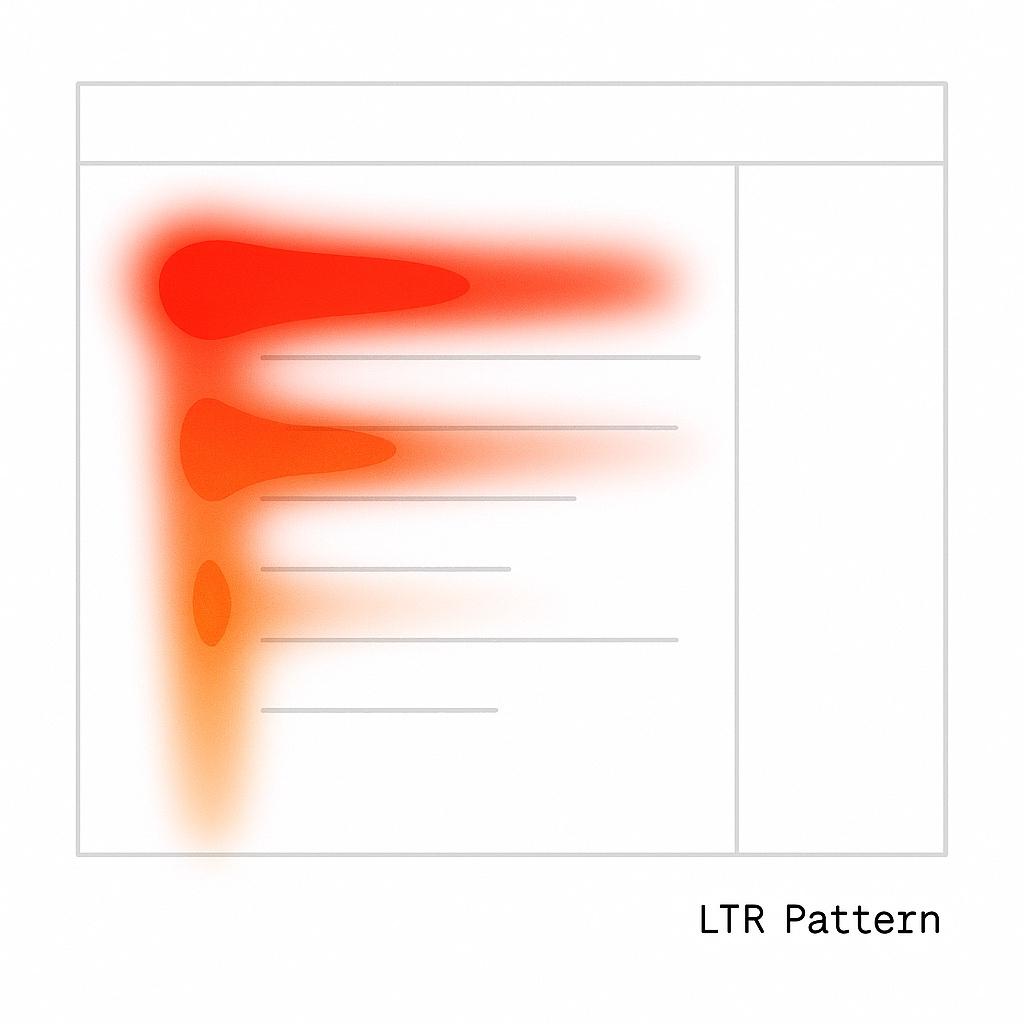
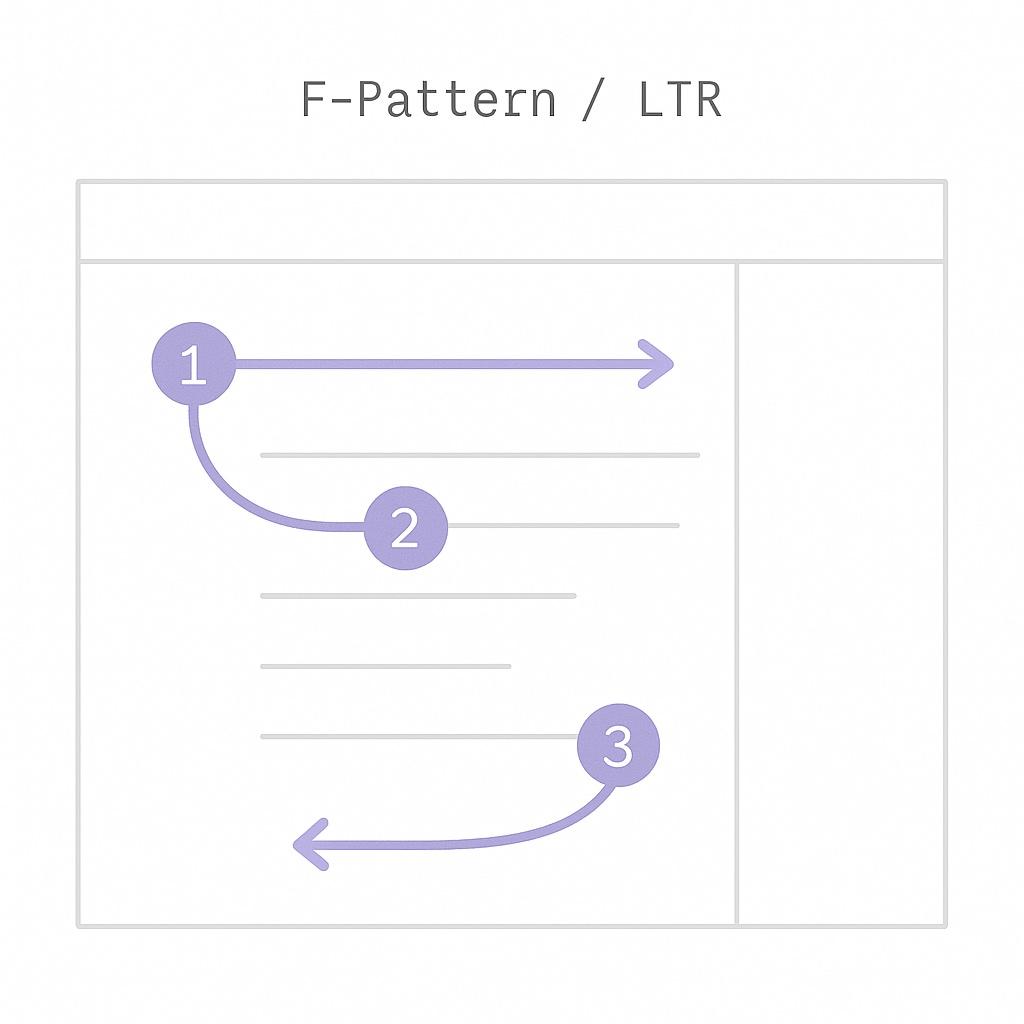
When reading left-to-right content, users' eyes typically move in an F-shaped pattern:
- First horizontal movement: Scan across the top of the page (header, navigation)
- Second horizontal movement: Scan across the upper content area (first paragraph, subheading)
- Vertical movement: Scan down the left side of the page, looking for interesting starting points
- Third horizontal movement: Occasionally scan right when something catches attention
What This Means for LTR Design
Hot zones (high attention areas):
- Top-left corner: Logo, primary navigation
- Left edge: Vertical navigation, section headings
- Top horizontal strip: Header, key messages
- First lines of text: Opening paragraphs, introductions
Cold zones (low attention areas):
- Bottom-right corner: Often never seen
- Right edge: Rarely scanned systematically
- Middle-right area: Skipped unless something draws attention
Design implications:
- Place logo and primary navigation in top-left
- Left-align body text (matches scanning pattern)
- Put important CTAs in the top-left quadrant or along left edge
- Use the left margin for scannable elements (headings, bullets, icons)
The F-pattern is strongest on text-heavy pages (articles, documentation, search results). Image-heavy pages show different patterns, often more distributed or Z-shaped.
The Mirrored F-Pattern in RTL Languages
Here's what many designers get wrong: they assume RTL users read in a backwards F-pattern. Actually, the pattern mirrors horizontally.
The RTL Reading Pattern
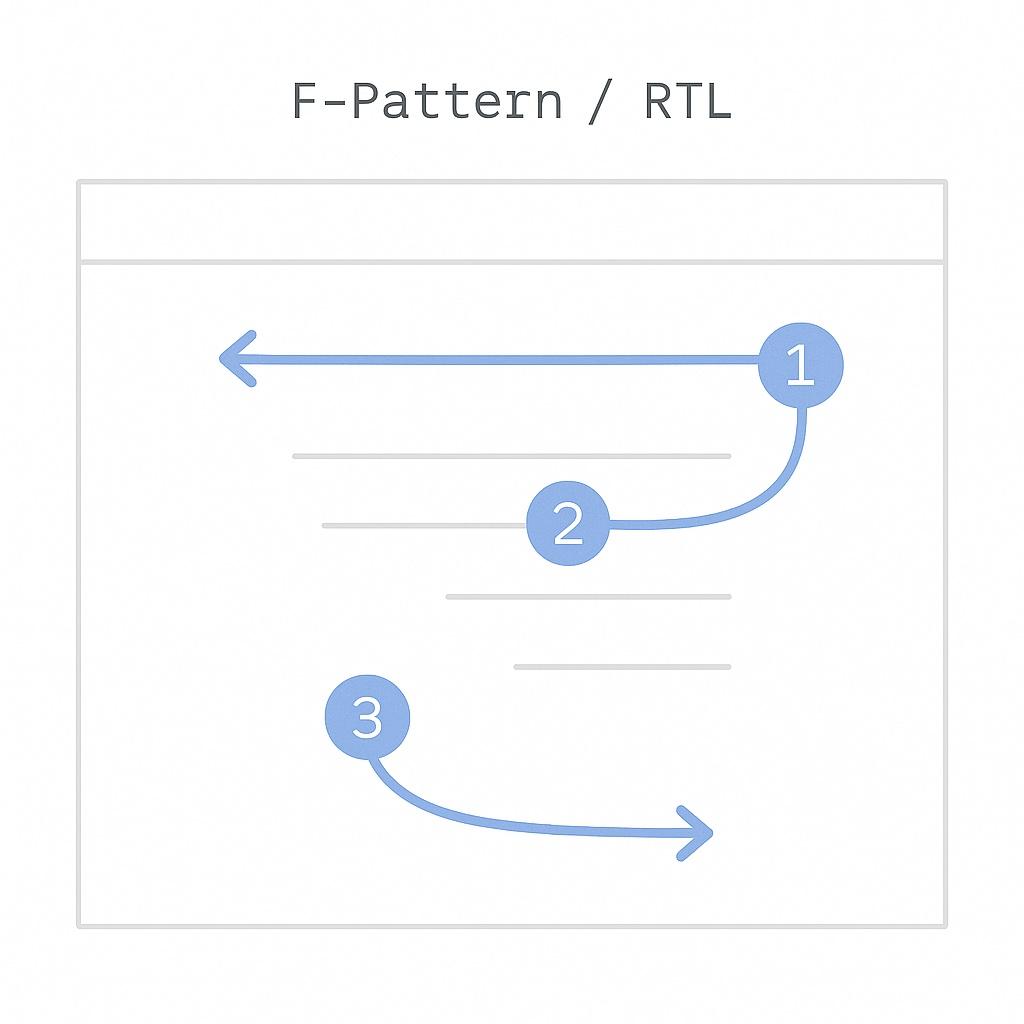
When Arabic or Hebrew speakers scan RTL content, they follow a mirrored F:
- First horizontal movement: Scan across the top, starting from the right
- Second horizontal movement: Scan across upper content from right to left
- Vertical movement: Scan down the right side of the page
- Third horizontal movement: Occasional leftward scans when something catches attention
What This Means for RTL Design
Hot zones in RTL:
- Top-right corner: Logo, primary navigation
- Right edge: Vertical navigation, section headings
- Top horizontal strip: Header, key messages (same as LTR)
- First lines of text: Opening paragraphs (starting from right)
Cold zones in RTL:
- Bottom-left corner: Often never seen
- Left edge: Rarely scanned
- Middle-left area: Skipped unless drawn by content
Design implications:
- Place logo and primary navigation in top-right
- Right-align body text (matches scanning pattern)
- Put important CTAs in the top-right quadrant or along right edge
- Use the right margin for scannable elements
Don't just horizontally flip your LTR design and call it RTL. The mirrored F-pattern means most things flip, but some elements (like centered content or vertical lists) might stay the same.
The Science Behind Reading Patterns
Eye-Tracking Research
Multiple studies have confirmed that reading direction influences scanning behavior:
Study 1: Ehmke & Wilson (2007)
- Compared German (LTR) and Arabic (RTL) users
- Found significant differences in where users looked first
- RTL users spent more time on right side, LTR users on left side
Study 2: Nielsen Norman Group
- Extensive eye-tracking across multiple languages
- Confirmed F-pattern in English, Chinese, and other LTR languages
- Found mirrored pattern in Hebrew and Arabic
Study 3: Barber & Kutas (2007)
- Neurological study showing reading direction affects brain processing
- Native reading direction creates automatic attention biases
"Reading direction is so deeply ingrained that it affects not just how we read text, but how we scan any visual information—including layouts with no text at all."
The "Start Strong" Principle
Regardless of direction, users pay the most attention to:
- Starting edge (left in LTR, right in RTL)
- Top of the page
- First lines of content sections
- Unusual or contrasting elements
This means the top-start corner is your most valuable real estate in any language.
Practical Layout Decisions
Logo Placement: The Great Debate
Option 1: Mirror the logo position
- LTR: Top-left
- RTL: Top-right
Pros:
- Matches scanning pattern
- Feels natural to users
- Respects reading direction
Cons:
- Inconsistent brand placement across markets
- Can confuse users who speak both languages
Option 2: Always top-left
- Keep logo in top-left for all languages
Pros:
- Global consistency
- Western convention (many Arabs are bilingual)
- Simpler to maintain
Cons:
- Doesn't match RTL scanning pattern
- Feels slightly "off" to RTL-native users
Logo Placement by Industry
| Industry | Recommendation | Reason |
|---|---|---|
| Global tech | Always top-left | Brand consistency, bilingual users |
| Local e-commerce | Mirror (top-start) | Better UX for native audience |
| Financial services | Always top-left | Regulatory, consistency expectations |
| Media/News | Mirror (top-start) | Optimize for local readers |
| Social platforms | Mirror (top-start) | Native feel matters more |
| SaaS/Enterprise | Always top-left | International teams, consistency |
My recommendation: Mirror the logo unless you have a strong brand consistency reason not to. User experience should usually win over cross-market consistency.
Test with your specific audience. Run a quick preference test showing both options. Let real users tell you what feels right for your brand and context.
Navigation Placement
Primary navigation should mirror:
/* LTR: Navigation on the left */
[dir="ltr"] .sidebar-nav {
  inset-inline-start: 0;
}

/* RTL: Navigation on the right */
[dir="rtl"] .sidebar-nav {
  inset-inline-start: 0; /* This automatically becomes right in RTL */
}
Best practices:
- Vertical sidebars: Place at the reading-start edge
- Horizontal nav: Items flow from start to end naturally
- Hamburger menu: Position at the reading-start edge
- Breadcrumbs: Flow in reading direction
Call-to-Action Placement
CTAs should go in high-attention zones:
Primary CTAs:
- Top-start corner (top-left LTR, top-right RTL)
- End of strong content (after making your case)
- Floating action buttons: Bottom-end corner
Secondary CTAs:
- Below primary CTAs
- End of sections
- Footers (low attention but good for "last chance" conversions)
<!-- CTA positioning that works in both directions -->
<div class="hero">
  <div class="hero-content">
    <h1>Transform Your Business</h1>
    <p>Our platform helps you grow faster...</p>
    <div class="cta-group">
      <button class="primary-cta">Get Started</button>
      <button class="secondary-cta">Learn More</button>
    </div>
  </div>
  <div class="hero-image">
    <img src="product-screenshot.jpg" alt="Product dashboard" />
  </div>
</div>
.hero {
display: flex;
align-items: center;
gap: 3rem;
}
.hero-content {
flex: 1;
/* Text and CTAs automatically align to reading-start */
}
.cta-group {
display: flex;
gap: 1rem;
margin-block-start: 2rem;
/* Buttons flow in reading direction */
}The CTAs appear in the natural reading flow without any direction-specific code.
Form Layout
Forms benefit from understanding reading patterns:
/* Labels above inputs (universal pattern) */
.form-field {
  display: flex;
  flex-direction: column;
  gap: 0.5rem;
  margin-block-end: 1.5rem;
}

.form-label {
  font-weight: 600;
  /* Aligns to reading-start automatically */
}

/* Multi-column forms on desktop */
@media (min-width: 768px) {
  .form-row {
    display: grid;
    grid-template-columns: 1fr 1fr;
    gap: 1rem;
  }
}
Form scanning pattern:
- Users scan labels from the reading-start
- Top-aligned labels work better than side-by-side in RTL/LTR
- Required fields should be marked at the label-end (right in LTR, left in RTL)
Avoid placing labels to the left/right of inputs in bidirectional designs. Top-aligned labels work universally and don't require mirroring logic.
Content Structure for Scanners
Headings and Hierarchy
Headings act as visual anchors. Make them scannable:
<article>
  <h1>Main Article Title</h1>

  <h2>First Major Section</h2>
  <p>Content flows naturally in reading direction...</p>

  <h3>Subsection Detail</h3>
  <p>More specific information...</p>

  <h2>Second Major Section</h2>
  <p>Next major topic...</p>
</article>
/* Headings at the reading-start edge */
h1, h2, h3, h4, h5, h6 {
text-align: start; /* Not left or right */
margin-block-start: 2rem;
margin-block-end: 1rem;
}
/* Visual hierarchy */
h1 { font-size: 2.5rem; }
h2 { font-size: 2rem; }
h3 { font-size: 1.5rem; }Lists and Bullets
Lists create strong visual anchors on the reading-start edge:
<!-- Bulleted list -->
<ul>
  <li>First key point</li>
  <li>Second important item</li>
  <li>Third consideration</li>
</ul>
/* Bullets appear at reading-start */
ul {
padding-inline-start: 1.5rem;
}
/* Icons as bullets */
li::marker {
content: "✦ ";
color: #3b82f6;
}In RTL, bullets automatically appear on the right side, maintaining their position at the scanning edge.
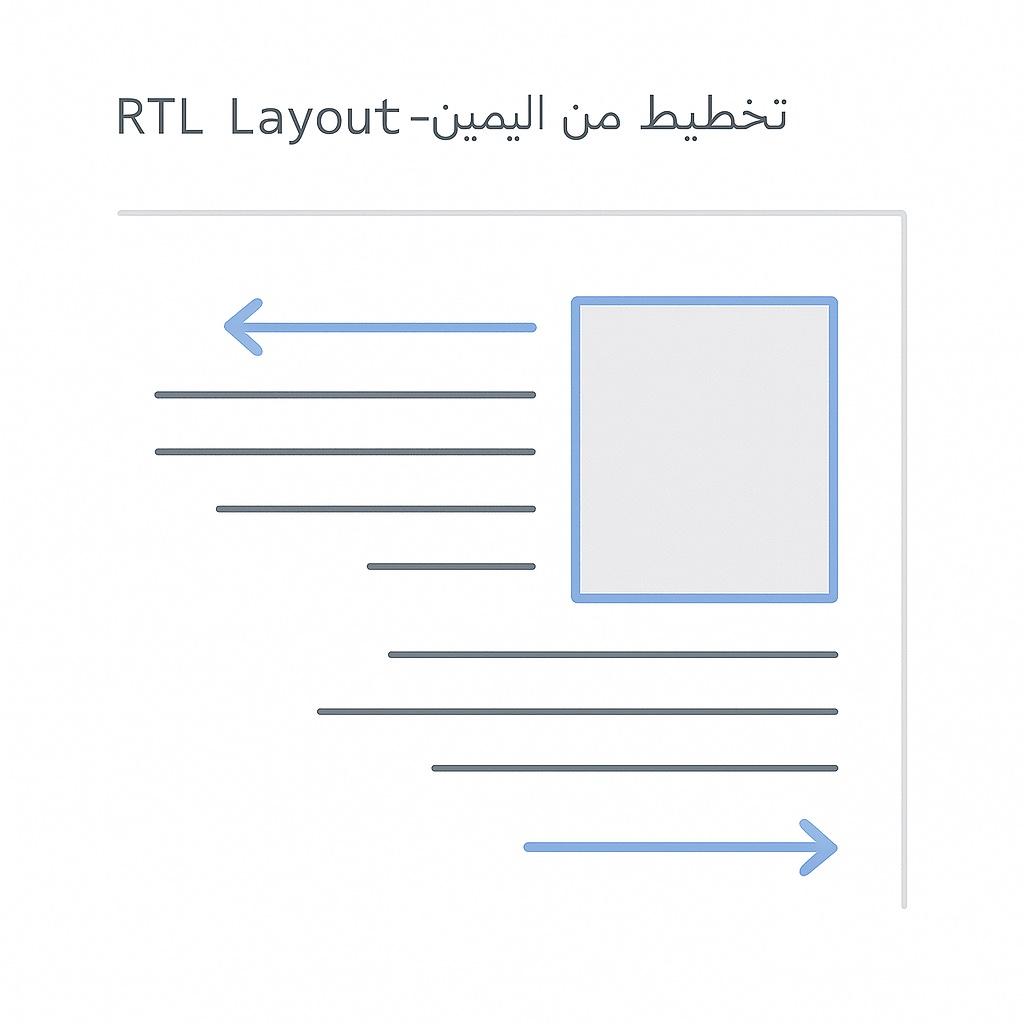
Images and Text Wrap
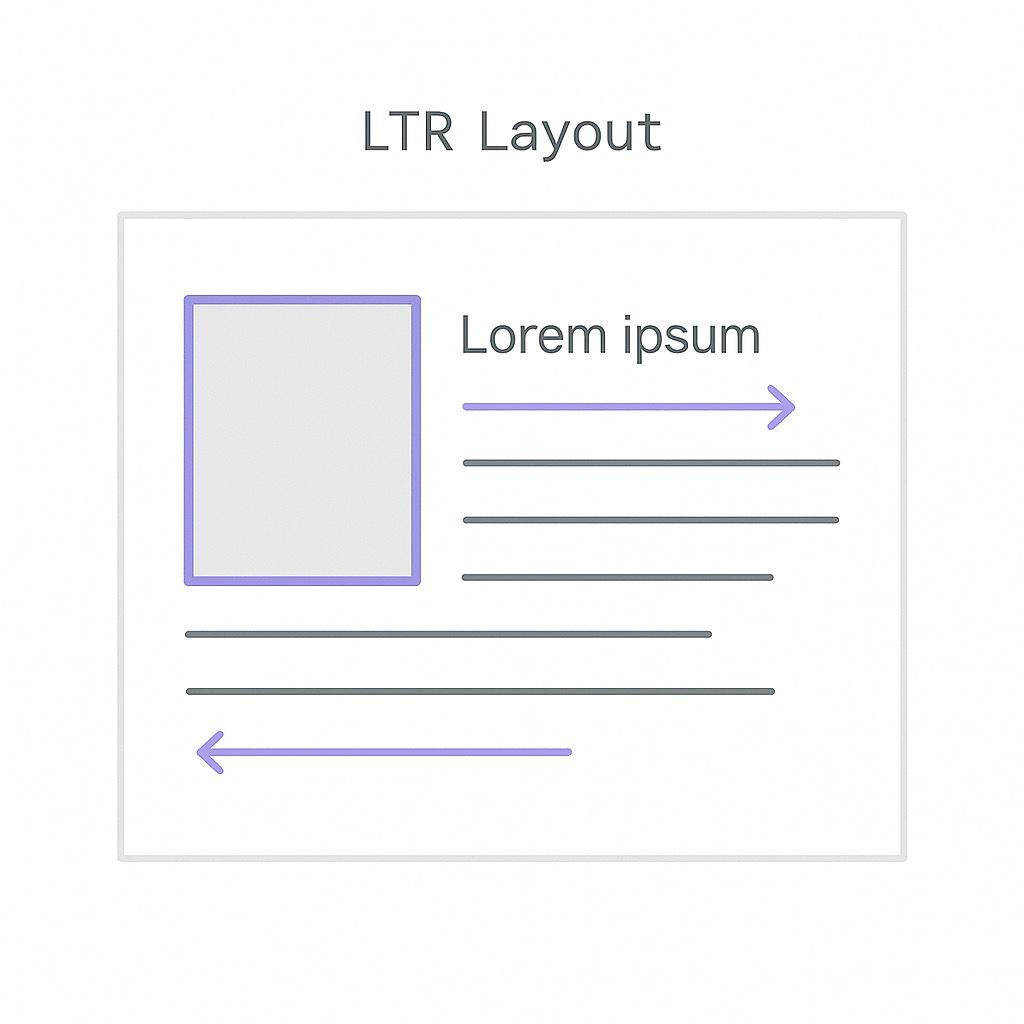
Text wrapping around images should respect scanning patterns:
/* Image with text wrap */
.article-image {
  width: 300px;
  height: auto;
  float: inline-start; /* Floats left in LTR, right in RTL */
  margin-inline-end: 2rem;
  margin-block-end: 1rem;
}
This places images at the reading-start edge, where they'll be encountered first during scanning.
The Z-Pattern for Hero Sections
On pages with less text and more visual elements (landing pages, hero sections), users often follow a Z-pattern:
- Scan across the top (left to right in LTR)
- Diagonal down to the opposite corner
- Scan across the bottom
In RTL, this becomes a mirrored Z (or backwards Z):
- Scan across the top (right to left)
- Diagonal down to bottom-left
- Scan across the bottom (right to left)
Hero section optimized for Z-pattern:
<section class="hero">
  <div class="hero-top">
    <h1>Big Bold Headline</h1>
  </div>
  <div class="hero-middle">
    <img src="hero-visual.jpg" alt="Product showcase" />
  </div>
  <div class="hero-bottom">
    <button class="cta">Get Started Now</button>
  </div>
</section>
The user's eye naturally travels from headline → visual → CTA, regardless of direction.
When Not to Mirror Everything
Some elements should stay consistent across directions:
Centered Content
Centered content doesn't need to flip:
.centered-message {
  text-align: center;
  max-width: 600px;
  margin-inline: auto;
}
Symmetric Layouts
Grid layouts with symmetric patterns work the same in both directions:
.symmetric-grid {
  display: grid;
  grid-template-columns: repeat(auto-fit, minmax(250px, 1fr));
  gap: 2rem;
  justify-items: center; /* Centered items don't flip */
}
Vertical Hierarchies
Vertically stacked content doesn't need mirroring:
.vertical-stack {
  display: flex;
  flex-direction: column;
  align-items: center; /* Centered alignment */
}
Focus your mirroring efforts on horizontal layouts and elements at the reading-start/end edges. Centered and vertically-oriented content often needs no changes.
Testing Reading Patterns
DIY Eye-Tracking Test
You don't need expensive equipment. Try this:
- Record screen sharing sessions with real users
- Ask users to "think aloud" while browsing
- Watch where they scroll first
- Note what they mention vs what they skip
- Ask them to find specific content and watch their path
Heatmap Tools
Use tools like:
- Hotjar: Heatmaps and session recordings
- Crazy Egg: Click tracking and scroll maps
- Microsoft Clarity: Free heatmaps and recordings
- Mouseflow: Session replay with attention tracking
Run these on both your LTR and RTL versions to compare patterns.
A/B Testing
Test different placements:
- Logo position (top-left vs top-right in RTL)
- CTA placement (start edge vs center vs end edge)
- Navigation style (top bar vs sidebar)
Let data guide your decisions for your specific audience.
Key Takeaways
-
Reading direction shapes scanning: LTR users scan from left, RTL users from right
-
F-pattern mirrors in RTL: The pattern flips horizontally, not just the text
-
Start edge is prime real estate: Top-start corner gets the most attention in any direction
-
Logo placement: Mirror for better UX, keep consistent for brand reasons—test with your audience
-
Navigation flows naturally: Use logical properties and let CSS handle the direction
-
CTAs at hot zones: Place primary actions where eyes naturally land
-
Don't mirror everything: Centered content and symmetric layouts often need no changes
-
Test with real users: Eye-tracking studies and heatmaps reveal actual behavior
-
Think about scanning, not just reading: Page layout affects all users, not just those reading text
-
Start edge, top, first lines: These three areas deserve your best content in any direction