Kitab
HomeBlogAboutDashboard
Kitab

A multilingual blog starter showcasing RTL support and Arabic typography.

Navigation

  • Home
  • Blog
  • About

Resources

  • GitHub
  • Documentation
  • Components

Connect

2025 Kitab. All rights reserved.

Made with noorui-rtl and Next.js

Kitab
HomeBlogAboutDashboard
Kitab

A multilingual blog starter showcasing RTL support and Arabic typography.

Navigation

  • Home
  • Blog
  • About

Resources

  • GitHub
  • Documentation
  • Components

Connect

2025 Kitab. All rights reserved.

Made with noorui-rtl and Next.js

  1. Home
  2. Blog
  3. Arabic Ligatures: Understanding Connected Letters
Typography

Arabic Ligatures: Understanding Connected Letters

How Arabic letters join together and why ligatures matter for typography and web development.

10 min read0
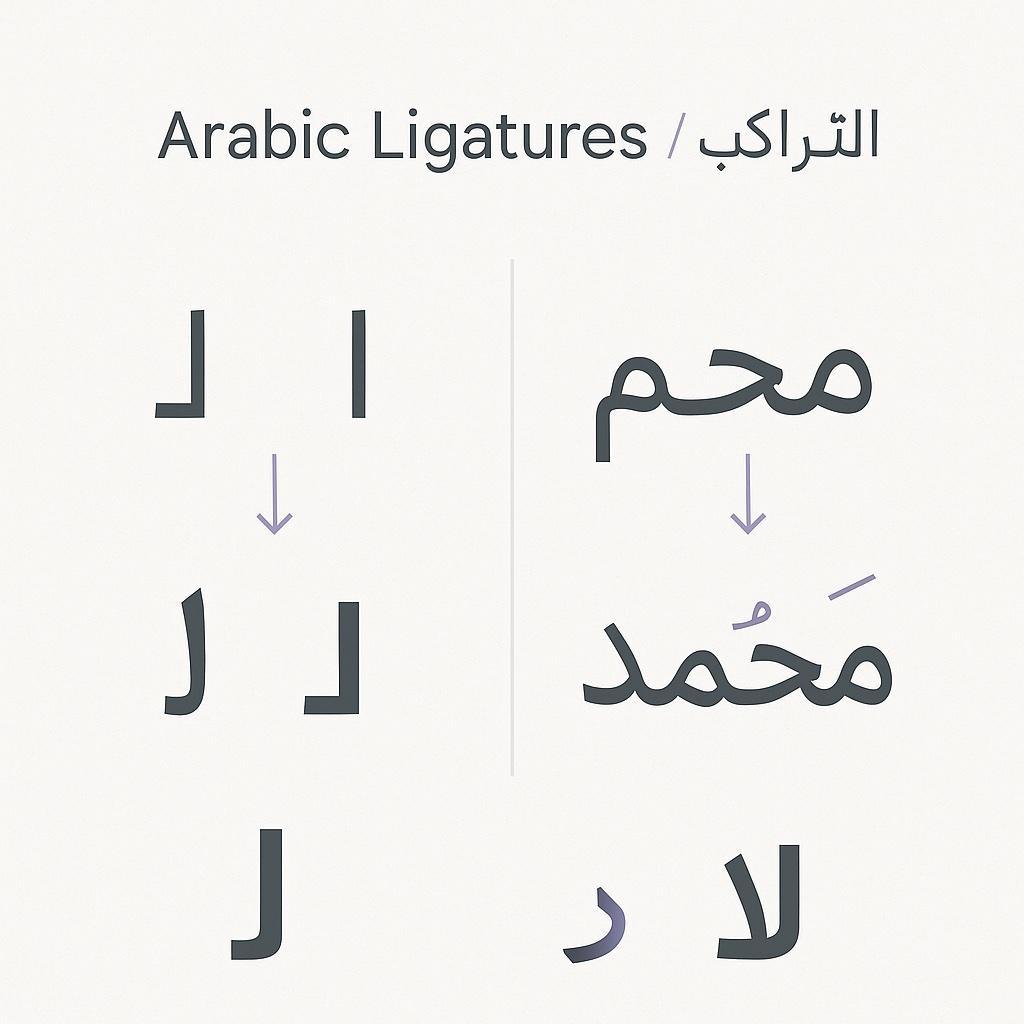
Arabic Ligatures: Understanding Connected Letters
AM

Amira Hassan

Linguist and typographer specializing in Arabic script history and evolution.

Introduction

When Latin letters sit next to each other, they remain separate shapes: "fl" is just "f" followed by "l". In Arabic, letters don't merely sit together—they transform. The same letter can look completely different depending on its position and neighbors.

This system of connected, contextually-shaped letters is fundamental to Arabic script. For developers and designers, understanding ligatures is essential for proper text rendering, font selection, and debugging display issues.

What Are Ligatures?

Definition

A ligature is a single glyph created by joining two or more characters. In Arabic, ligatures are not optional typographic flourishes—they're required for correct rendering.

Ligatures in Latin Scripts

Latin scripts use ligatures optionally for aesthetic reasons:

fi → fi  (prevents f's hook from colliding with i's dot)
fl → fl  (smoother connection)
ff → ff  (elegant alternative)

These are purely stylistic. Text is readable without them.

Ligatures in Arabic Scripts

Arabic ligatures are mandatory. Letters physically connect, and their shapes change based on position:

ب (ba) alone: ب
ب at start: بـ
ب in middle: ـبـ
ب at end: ـب
 
Combined: كتب (k-t-b) = ك + ت + ب → completely different shapes

The Four Positional Forms

Every Arabic letter has up to four forms:

PositionNameDescriptionExample (ب)
IsolatedمفردStandaloneب
InitialابتدائيStart of wordبـ
MedialوسطيMiddle of wordـبـ
FinalنهائيEnd of wordـب

Non-Connecting Letters

Six Arabic letters only connect from the right and have only two forms (isolated and final):

ا (alif)
د (dal)
ذ (dhal)
ر (ra)
ز (zayn)
و (waw)

These letters break the connection, forcing the next letter into initial form:

دار (dar): د + ا + ر
Each letter is in isolated/final form because the connectors break the chain.

Types of Arabic Ligatures

Mandatory Ligatures

These must be rendered correctly for text to be legible:

1. لا (lam-alif) The most famous Arabic ligature. When ل (lam) meets ا (alif), they form a special combined shape:

ل + ا → لا
Not: لـا (incorrect)

2. Positional connections All contextual forms are technically ligatures—the letter shapes change when connected.

Optional (Stylistic) Ligatures

Some fonts include additional ligatures for aesthetic purposes:

لله (Allah) - special form in many fonts
لمـ (lam-meem combinations)
بسم (bismillah combinations)

Extended Ligatures

Some calligraphic fonts include elaborate ligatures:

ست → combined form
تج → joined variant
etc.

How Ligatures Work Technically

Unicode and Character Storage

Arabic text is stored in logical order (first letter typed = first in memory), not visual order:

Word: كتاب (kitab = book)
Unicode: U+0643 U+062A U+0627 U+0628
Stored: ك ت ا ب
Rendered: كتاب (letters connect and transform)

OpenType Shaping

Font rendering engines apply multiple shaping rules:

1. GSUB (Glyph Substitution)

  • Replaces sequences with ligatures
  • Selects positional forms
  • Applies language-specific rules

2. GPOS (Glyph Positioning)

  • Adjusts spacing between glyphs
  • Positions diacritical marks
  • Fine-tunes kerning

The Shaping Process

1. Analyze text direction and language
2. Determine connecting behavior of each letter
3. Select appropriate positional form
4. Apply mandatory ligatures (لا, etc.)
5. Apply optional ligatures (if enabled)
6. Position marks and diacritics
7. Final kerning adjustments

CSS Control

/* Default: ligatures enabled */
.arabic-text {
  font-feature-settings: "liga" 1, "rlig" 1;
}
 
/* Disable discretionary ligatures */
.no-fancy {
  font-feature-settings: "dlig" 0;
}
 
/* Common ligature controls */
.text {
  font-variant-ligatures: common-ligatures;
  /* or: no-common-ligatures */
  /* or: discretionary-ligatures */
}

Practical Implementation

Font Requirements

For proper Arabic rendering, fonts must include:

  1. All positional forms for each letter
  2. Lam-alif ligatures (at minimum)
  3. Proper OpenType tables (GSUB, GPOS)
  4. Mark positioning for diacritics

Testing Ligature Support

<!-- Test lam-alif ligature -->
<p lang="ar">لا إله إلا الله</p>
 
<!-- Test positional forms -->
<p lang="ar">ببب ككك ممم</p>
 
<!-- Test non-connecting letters -->
<p lang="ar">دادا رارا وووو</p>

Debugging Ligature Issues

Problem 1: Letters not connecting

/* Wrong: disabling ligatures */
.broken {
  font-feature-settings: "liga" 0;
}
 
/* Fix: ensure ligatures enabled */
.fixed {
  font-feature-settings: "liga" 1, "rlig" 1;
}

Problem 2: Wrong positional forms

Usually a font issue. Test with a known-good font:

.debug {
  font-family: 'Noto Naskh Arabic', serif;
}

Problem 3: Lam-alif not forming

Some fonts lack this ligature. Check font coverage:

// Test if font renders lam-alif correctly
const testEl = document.createElement('span');
testEl.style.fontFamily = 'YourFont';
testEl.textContent = 'لا';
document.body.appendChild(testEl);
// Check width - proper ligature should be narrower

Ligatures in Different Contexts

Web Typography

/* Standard Arabic web typography */
.arabic-article {
  font-family: 'Noto Naskh Arabic', 'Traditional Arabic', serif;
  font-feature-settings:
    "liga" 1,   /* Standard ligatures */
    "rlig" 1,   /* Required ligatures */
    "calt" 1;   /* Contextual alternates */
}

Input Fields

/* Ensure proper rendering in forms */
input[lang="ar"],
textarea[lang="ar"] {
  font-family: 'Noto Naskh Arabic', sans-serif;
  /* Ligatures should work automatically */
}

SVG and Canvas

When rendering Arabic in SVG or Canvas, ensure:

  1. Font is loaded and available
  2. Shaping engine is applied (browser handles this for SVG text)
  3. For Canvas, use libraries that handle shaping (like opentype.js)
// Canvas may not shape automatically
// Use a library for proper Arabic rendering
import opentype from 'opentype.js';
 
const font = await opentype.load('NotoNaskhArabic.ttf');
const path = font.getPath('لا إله إلا الله', 0, 50, 24);
// This handles shaping correctly

Special Cases

The Allah Ligature

Many Arabic fonts include a special ligature for الله (Allah):

Standard: ا + ل + ل + ه = الله
Special form: ﷲ (single glyph U+FDF2)

Some fonts automatically substitute this, while others require explicit input.

Numbers and Ligatures

Arabic-Indic numerals don't ligate with letters, but pay attention to mixed text:

<p dir="rtl">السعر: ١٢٣ ريال</p>

Tashkeel (Diacritics)

Diacritical marks interact with ligatures:

بَ + يْ + تُ = بَيْتُ
Diacritics position correctly on ligated forms

Performance Considerations

Font File Size

Arabic fonts with full ligature support are larger than Latin fonts:

Latin-only font: ~20KB
Arabic font (Naskh): ~100-300KB
Arabic font (Nastaliq): 1-5MB

Optimization Strategies

1. Subset fonts

# Create subset with only needed characters
pyftsubset font.ttf --text="your arabic text here" --output-file=subset.woff2

2. Use font-display

@font-face {
  font-family: 'Arabic Font';
  src: url('arabic-font.woff2') format('woff2');
  font-display: swap; /* Show fallback while loading */
}

3. Preload critical fonts

<link rel="preload" href="arabic-font.woff2" as="font" type="font/woff2" crossorigin>

Key Takeaways

  1. Ligatures are mandatory: Unlike Latin, Arabic ligatures are required for correct text display.

  2. Positional forms are ligatures: Each letter's four forms are technically ligature substitutions.

  3. Lam-alif is critical: The لا ligature must work for text to be acceptable.

  4. OpenType handles complexity: Modern font technology manages thousands of shaping rules automatically.

  5. Test with real fonts: Always verify Arabic rendering with proper Arabic fonts, not generic fallbacks.

Further Reading

  • The History of Arabic Script
  • Nastaliq vs Naskh: Comparing Two Major Script Styles
  • Understanding RTL Text Direction
  • Islamic Calligraphy: Sacred Art and Its Modern Legacy
arabic
ligatures
typography
opentype
web-fonts
Back to Blog

Related Articles

Choosing Arabic Fonts for the Web

10 min read

Designing for Bilingual Users: Code-Switching in UI

10 min read

Building Accessible Forms for Arabic Users

12 min read

  1. Home
  2. Blog
  3. Arabic Ligatures: Understanding Connected Letters
Typography

Arabic Ligatures: Understanding Connected Letters

How Arabic letters join together and why ligatures matter for typography and web development.

10 min read0
Arabic Ligatures: Understanding Connected Letters
AM

Amira Hassan

Linguist and typographer specializing in Arabic script history and evolution.

Introduction

When Latin letters sit next to each other, they remain separate shapes: "fl" is just "f" followed by "l". In Arabic, letters don't merely sit together—they transform. The same letter can look completely different depending on its position and neighbors.

This system of connected, contextually-shaped letters is fundamental to Arabic script. For developers and designers, understanding ligatures is essential for proper text rendering, font selection, and debugging display issues.

What Are Ligatures?

Definition

A ligature is a single glyph created by joining two or more characters. In Arabic, ligatures are not optional typographic flourishes—they're required for correct rendering.

Ligatures in Latin Scripts

Latin scripts use ligatures optionally for aesthetic reasons:

fi → fi  (prevents f's hook from colliding with i's dot)
fl → fl  (smoother connection)
ff → ff  (elegant alternative)

These are purely stylistic. Text is readable without them.

Ligatures in Arabic Scripts

Arabic ligatures are mandatory. Letters physically connect, and their shapes change based on position:

ب (ba) alone: ب
ب at start: بـ
ب in middle: ـبـ
ب at end: ـب
 
Combined: كتب (k-t-b) = ك + ت + ب → completely different shapes

The Four Positional Forms

Every Arabic letter has up to four forms:

PositionNameDescriptionExample (ب)
IsolatedمفردStandaloneب
InitialابتدائيStart of wordبـ
MedialوسطيMiddle of wordـبـ
FinalنهائيEnd of wordـب

Non-Connecting Letters

Six Arabic letters only connect from the right and have only two forms (isolated and final):

ا (alif)
د (dal)
ذ (dhal)
ر (ra)
ز (zayn)
و (waw)

These letters break the connection, forcing the next letter into initial form:

دار (dar): د + ا + ر
Each letter is in isolated/final form because the connectors break the chain.

Types of Arabic Ligatures

Mandatory Ligatures

These must be rendered correctly for text to be legible:

1. لا (lam-alif) The most famous Arabic ligature. When ل (lam) meets ا (alif), they form a special combined shape:

ل + ا → لا
Not: لـا (incorrect)

2. Positional connections All contextual forms are technically ligatures—the letter shapes change when connected.

Optional (Stylistic) Ligatures

Some fonts include additional ligatures for aesthetic purposes:

لله (Allah) - special form in many fonts
لمـ (lam-meem combinations)
بسم (bismillah combinations)

Extended Ligatures

Some calligraphic fonts include elaborate ligatures:

ست → combined form
تج → joined variant
etc.

How Ligatures Work Technically

Unicode and Character Storage

Arabic text is stored in logical order (first letter typed = first in memory), not visual order:

Word: كتاب (kitab = book)
Unicode: U+0643 U+062A U+0627 U+0628
Stored: ك ت ا ب
Rendered: كتاب (letters connect and transform)

OpenType Shaping

Font rendering engines apply multiple shaping rules:

1. GSUB (Glyph Substitution)

  • Replaces sequences with ligatures
  • Selects positional forms
  • Applies language-specific rules

2. GPOS (Glyph Positioning)

  • Adjusts spacing between glyphs
  • Positions diacritical marks
  • Fine-tunes kerning

The Shaping Process

1. Analyze text direction and language
2. Determine connecting behavior of each letter
3. Select appropriate positional form
4. Apply mandatory ligatures (لا, etc.)
5. Apply optional ligatures (if enabled)
6. Position marks and diacritics
7. Final kerning adjustments

CSS Control

/* Default: ligatures enabled */
.arabic-text {
  font-feature-settings: "liga" 1, "rlig" 1;
}
 
/* Disable discretionary ligatures */
.no-fancy {
  font-feature-settings: "dlig" 0;
}
 
/* Common ligature controls */
.text {
  font-variant-ligatures: common-ligatures;
  /* or: no-common-ligatures */
  /* or: discretionary-ligatures */
}

Practical Implementation

Font Requirements

For proper Arabic rendering, fonts must include:

  1. All positional forms for each letter
  2. Lam-alif ligatures (at minimum)
  3. Proper OpenType tables (GSUB, GPOS)
  4. Mark positioning for diacritics

Testing Ligature Support

<!-- Test lam-alif ligature -->
<p lang="ar">لا إله إلا الله</p>
 
<!-- Test positional forms -->
<p lang="ar">ببب ككك ممم</p>
 
<!-- Test non-connecting letters -->
<p lang="ar">دادا رارا وووو</p>

Debugging Ligature Issues

Problem 1: Letters not connecting

/* Wrong: disabling ligatures */
.broken {
  font-feature-settings: "liga" 0;
}
 
/* Fix: ensure ligatures enabled */
.fixed {
  font-feature-settings: "liga" 1, "rlig" 1;
}

Problem 2: Wrong positional forms

Usually a font issue. Test with a known-good font:

.debug {
  font-family: 'Noto Naskh Arabic', serif;
}

Problem 3: Lam-alif not forming

Some fonts lack this ligature. Check font coverage:

// Test if font renders lam-alif correctly
const testEl = document.createElement('span');
testEl.style.fontFamily = 'YourFont';
testEl.textContent = 'لا';
document.body.appendChild(testEl);
// Check width - proper ligature should be narrower

Ligatures in Different Contexts

Web Typography

/* Standard Arabic web typography */
.arabic-article {
  font-family: 'Noto Naskh Arabic', 'Traditional Arabic', serif;
  font-feature-settings:
    "liga" 1,   /* Standard ligatures */
    "rlig" 1,   /* Required ligatures */
    "calt" 1;   /* Contextual alternates */
}

Input Fields

/* Ensure proper rendering in forms */
input[lang="ar"],
textarea[lang="ar"] {
  font-family: 'Noto Naskh Arabic', sans-serif;
  /* Ligatures should work automatically */
}

SVG and Canvas

When rendering Arabic in SVG or Canvas, ensure:

  1. Font is loaded and available
  2. Shaping engine is applied (browser handles this for SVG text)
  3. For Canvas, use libraries that handle shaping (like opentype.js)
// Canvas may not shape automatically
// Use a library for proper Arabic rendering
import opentype from 'opentype.js';
 
const font = await opentype.load('NotoNaskhArabic.ttf');
const path = font.getPath('لا إله إلا الله', 0, 50, 24);
// This handles shaping correctly

Special Cases

The Allah Ligature

Many Arabic fonts include a special ligature for الله (Allah):

Standard: ا + ل + ل + ه = الله
Special form: ﷲ (single glyph U+FDF2)

Some fonts automatically substitute this, while others require explicit input.

Numbers and Ligatures

Arabic-Indic numerals don't ligate with letters, but pay attention to mixed text:

<p dir="rtl">السعر: ١٢٣ ريال</p>

Tashkeel (Diacritics)

Diacritical marks interact with ligatures:

بَ + يْ + تُ = بَيْتُ
Diacritics position correctly on ligated forms

Performance Considerations

Font File Size

Arabic fonts with full ligature support are larger than Latin fonts:

Latin-only font: ~20KB
Arabic font (Naskh): ~100-300KB
Arabic font (Nastaliq): 1-5MB

Optimization Strategies

1. Subset fonts

# Create subset with only needed characters
pyftsubset font.ttf --text="your arabic text here" --output-file=subset.woff2

2. Use font-display

@font-face {
  font-family: 'Arabic Font';
  src: url('arabic-font.woff2') format('woff2');
  font-display: swap; /* Show fallback while loading */
}

3. Preload critical fonts

<link rel="preload" href="arabic-font.woff2" as="font" type="font/woff2" crossorigin>

Key Takeaways

  1. Ligatures are mandatory: Unlike Latin, Arabic ligatures are required for correct text display.

  2. Positional forms are ligatures: Each letter's four forms are technically ligature substitutions.

  3. Lam-alif is critical: The لا ligature must work for text to be acceptable.

  4. OpenType handles complexity: Modern font technology manages thousands of shaping rules automatically.

  5. Test with real fonts: Always verify Arabic rendering with proper Arabic fonts, not generic fallbacks.

Further Reading

  • The History of Arabic Script
  • Nastaliq vs Naskh: Comparing Two Major Script Styles
  • Understanding RTL Text Direction
  • Islamic Calligraphy: Sacred Art and Its Modern Legacy
arabic
ligatures
typography
opentype
web-fonts
Back to Blog

Related Articles

Choosing Arabic Fonts for the Web

10 min read

Designing for Bilingual Users: Code-Switching in UI

10 min read

Building Accessible Forms for Arabic Users

12 min read

Comments (0)

Sign in to join the conversation

Comments (0)

Sign in to join the conversation